 EarnFlow

Plan
The Scheduler places the backlog.
It matches each job's priority, skills and time window to the right technician, placing the hardest-to-fit work first so nothing gets stranded.
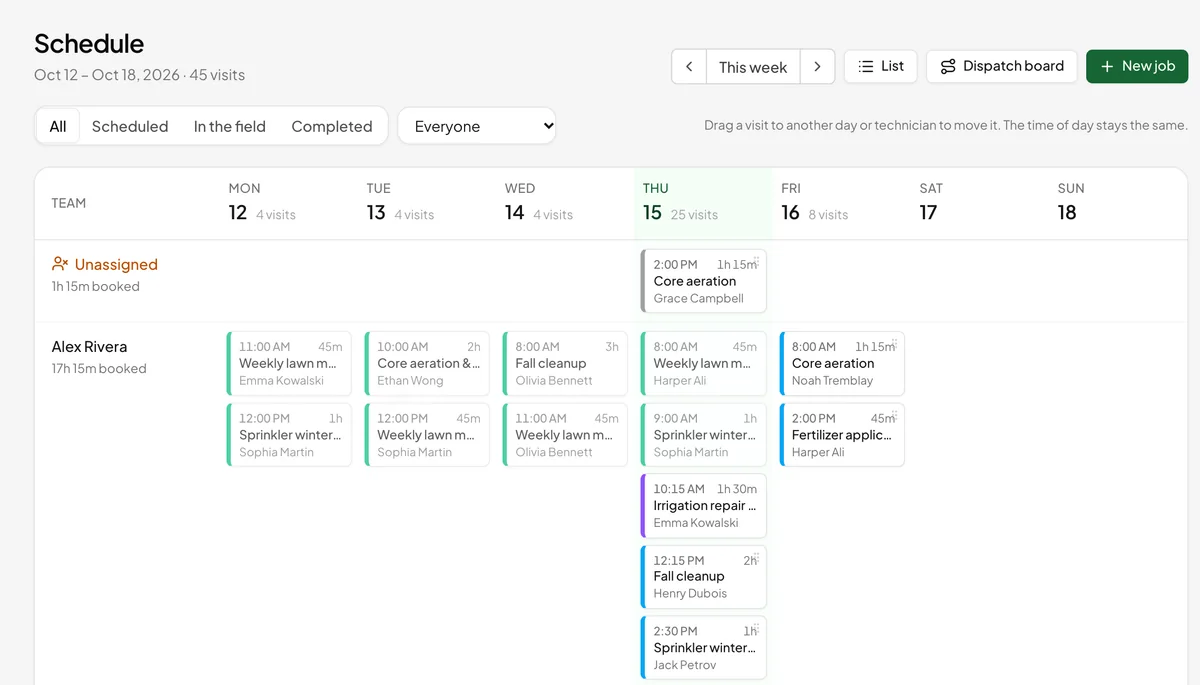
One lane per technician. Suggested changes are drawn in, so you see exactly what will move.
Every suggestion explained. Open a change to see its score and the other good fits.
Problems listed for a person. Work that doesn't fit, or skills nobody has that day, is flagged, not hidden.
Repair
The Dispatcher keeps the day on track.
Plans meet reality by 9 a.m. The Dispatcher proposes cover for absences and double bookings, staffs unassigned visits and hands a late technician's stops to someone free.
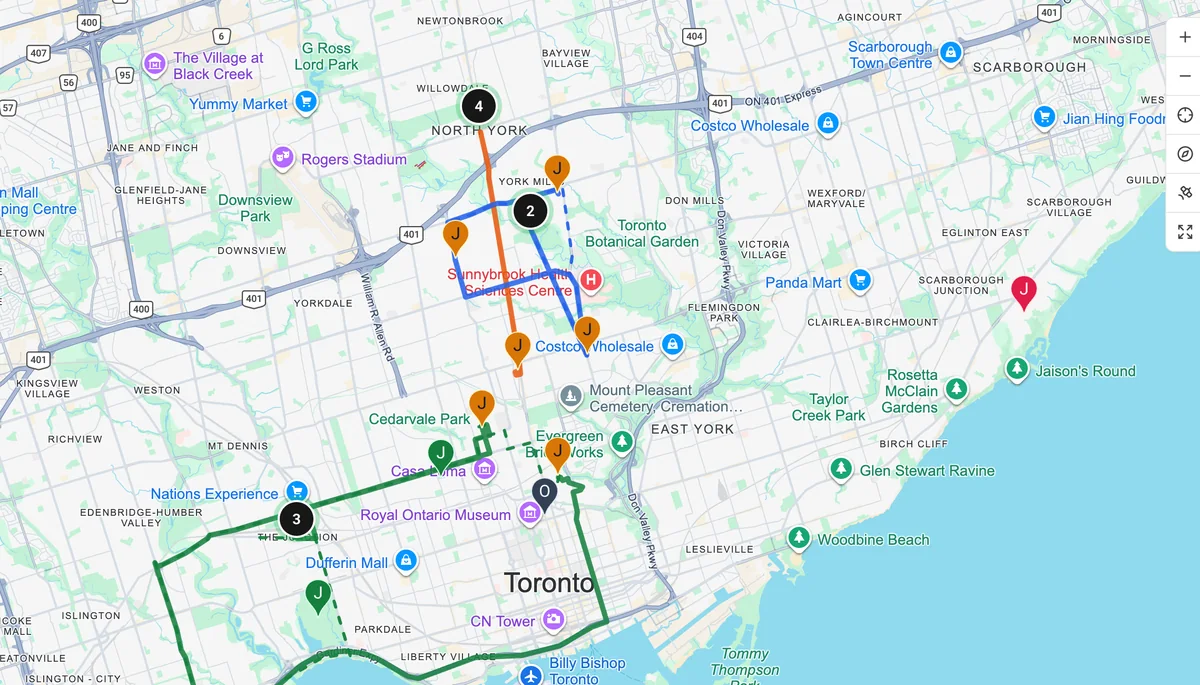
Knows who's running late. Uses each crew's live position to flag late starts and estimate arrivals.
Customers stay informed. Running-late and on-my-way emails are drafted for you to send.
One notice, not ten. After schedules go out, any change notifies the people it affects once.
Route
Every crew's route. Live, and shorter.
As soon as visits are booked, by you or by AI Dispatch, each crew's day appears on the map as a route along the roads. Once the crew checks in, the route starts from where the truck actually is.
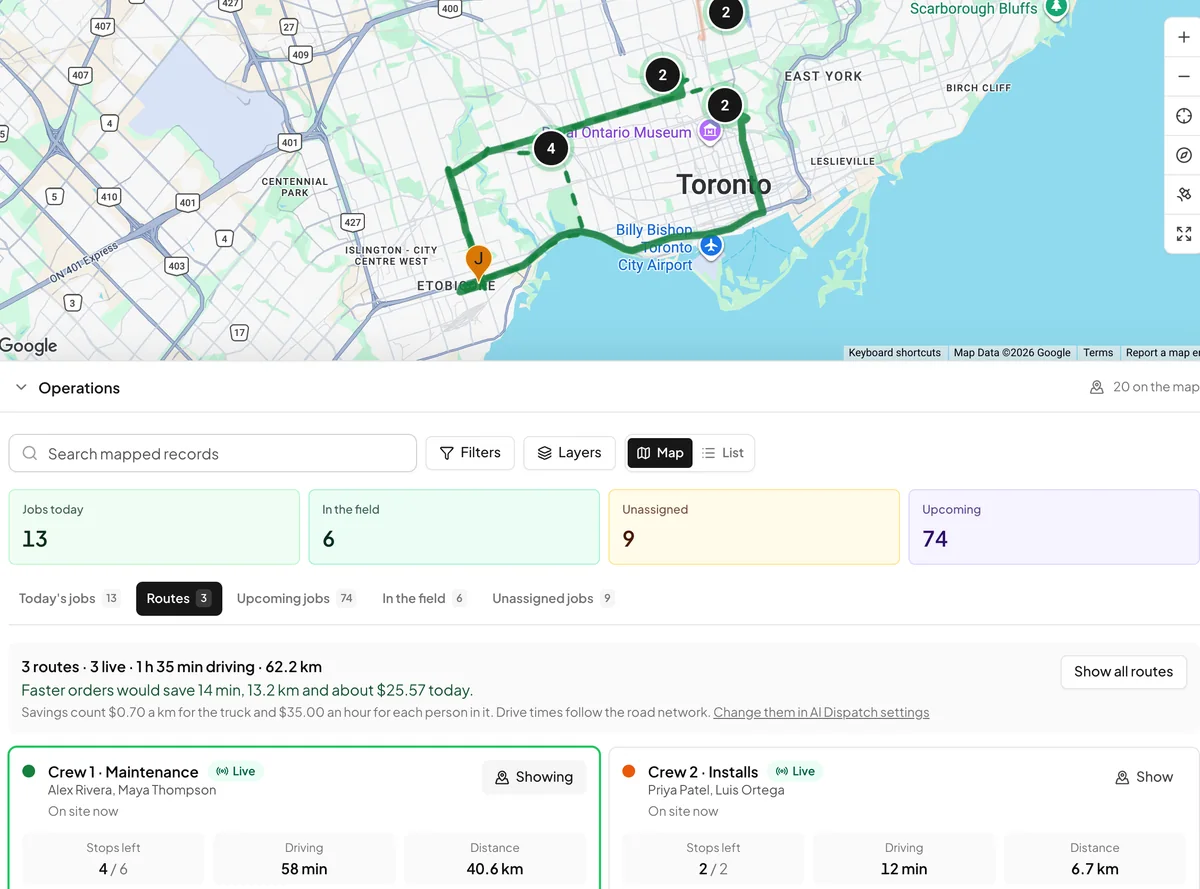
The fastest order that still works. The least driving that keeps every customer's time window and the crew's working day. Emergencies and high-priority stops go first, even when that costs a few minutes.
Savings in dollars, not just minutes. Each better order is priced: the truck's cost per kilometre plus the wages of everyone riding in it. Set both in AI Dispatch settings.
One click to use it. The new order is booked with new arrival times and recorded in the audit trail. If the crew's day was already sent, they're told about the change.
Send
Send schedules. Everyone knows their day.
One button sends each person their day as an in-app notification and a team-chat message.
Autopilot
Plan every workday at a set time, send schedules right after, and keep checking today's plan as the day unfolds.
Approve your way
Approve per change, per person or all at once. Decline anything and it won't be proposed again.
Nothing moves unreviewed
Suggestions stay proposals until a person approves them, unless you let Autopilot act within limits you set.
Your data
Called AI. Doesn't send your data to an AI company.
AI Dispatch is optimization: the branch of AI that searches thousands of possible schedules and routes for the best one, the same kind of math couriers and airlines run. It runs on EarnFlow's own servers in Canada. There is no chatbot and no language model inside it, so no AI provider sees your customers, jobs or schedule when it plans a day.
Planned on our servers
The Scheduler, the Dispatcher and route optimization run inside EarnFlow. Same inputs, same plan, and every suggestion comes with a score you can open.
Roads from Google Maps
Drive times and route lines come from Google Maps Platform, which already turns your customers' addresses into map pins. Google gets addresses and coordinates, never names, job details or prices.
Language models only with consent
Two features do use a language model, Claude by Anthropic: the Estimator, which drafts estimates from your description, and EarnFlow Support AI, which only reads your account under a support access you approve. Both ask first, and Anthropic may not train on your data.
My Day
The field's one screen.
The route on a map, the next stop with directions and a call button, and one tap to move from On my way to Complete visit.
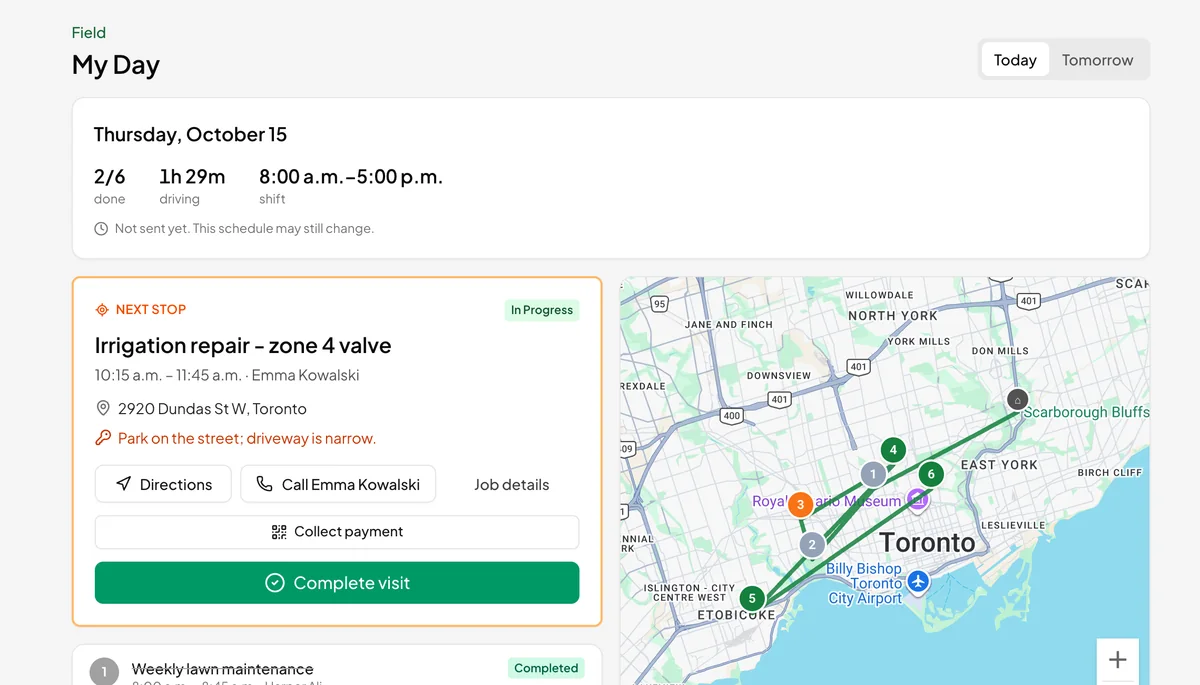
Refreshes on its own. Schedule changes arrive while the technician is still parked.
Location only while on the clock. Shared from check-in to check-out, with consent asked at every check-in. Never collected off shift.
Works in any phone's browser today. Native iPhone and Android apps are planned for Winter 2027.
Questions about AI Dispatch
Is AI Dispatch a large language model?
No. The Scheduler and Dispatcher are deterministic optimizers: the same inputs always produce the same plan, and every suggestion comes with a score you can inspect. We call it AI Dispatch because planning and repairing a day is an optimization problem, one of the oldest branches of artificial intelligence, not because it chats. It runs on EarnFlow's own servers and sends nothing to an AI provider, which is also why it is predictable and included at no extra cost.
Can technicians see each other's schedules?
Technicians see their own day in My Day and the conversations they belong to in Messages. Dispatchers and office roles see the whole board. Permissions follow your roles.
What if I don't want anything automated?
Leave Autopilot off. AI Dispatch then only ever proposes, and nothing changes until a dispatcher approves it.
Does it work with recurring jobs?
Yes. The Recurring service agent books the next visits of every recurring job at the customer's usual time, preferring the technician who did the last visit, and reserves those slots so other proposals don't take them.
Does it need the mobile apps?
No. Dispatchers plan on the web, and technicians use My Day in any phone's browser. The native apps planned for Winter 2027 add offline support and push notifications.
Try EarnFlow free for 30 days.
A card on file, not charged until the trial ends. Add your team and your customers, plan tomorrow, and see what the agents catch.