 EarnFlow

Take the tour
Pick a module.
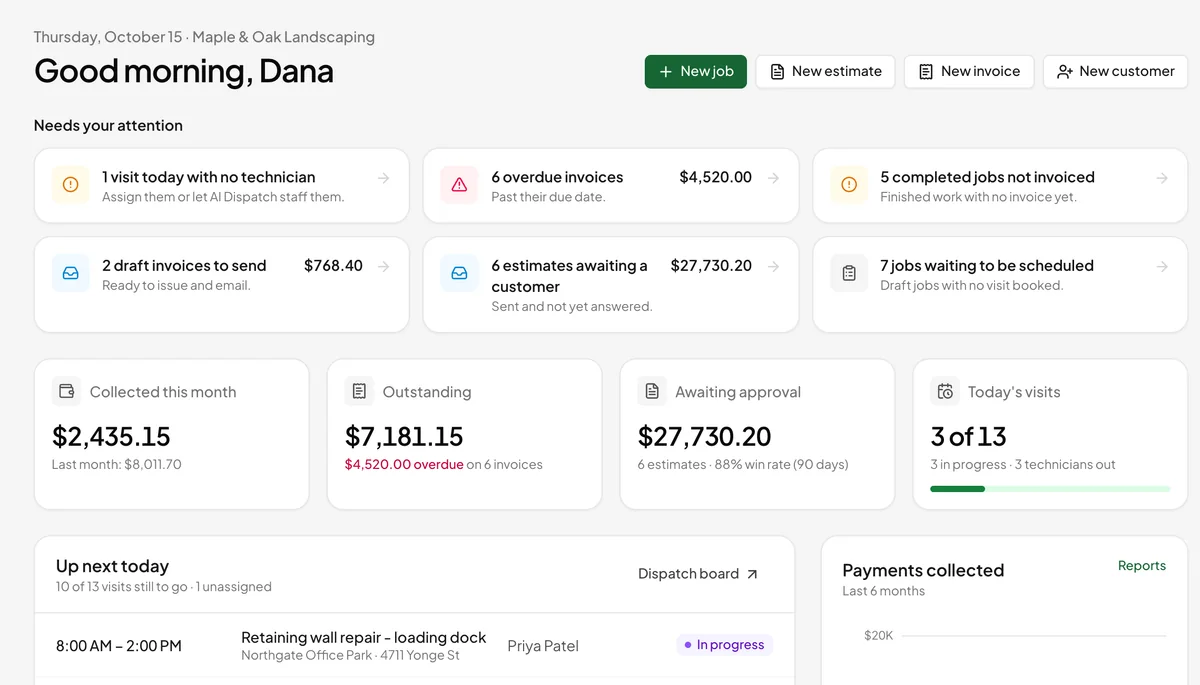
Home opens on what needs attention: visits running late, unassigned work, overdue invoices, completed jobs with no invoice and estimates waiting on a customer. Each card links straight to the fix.
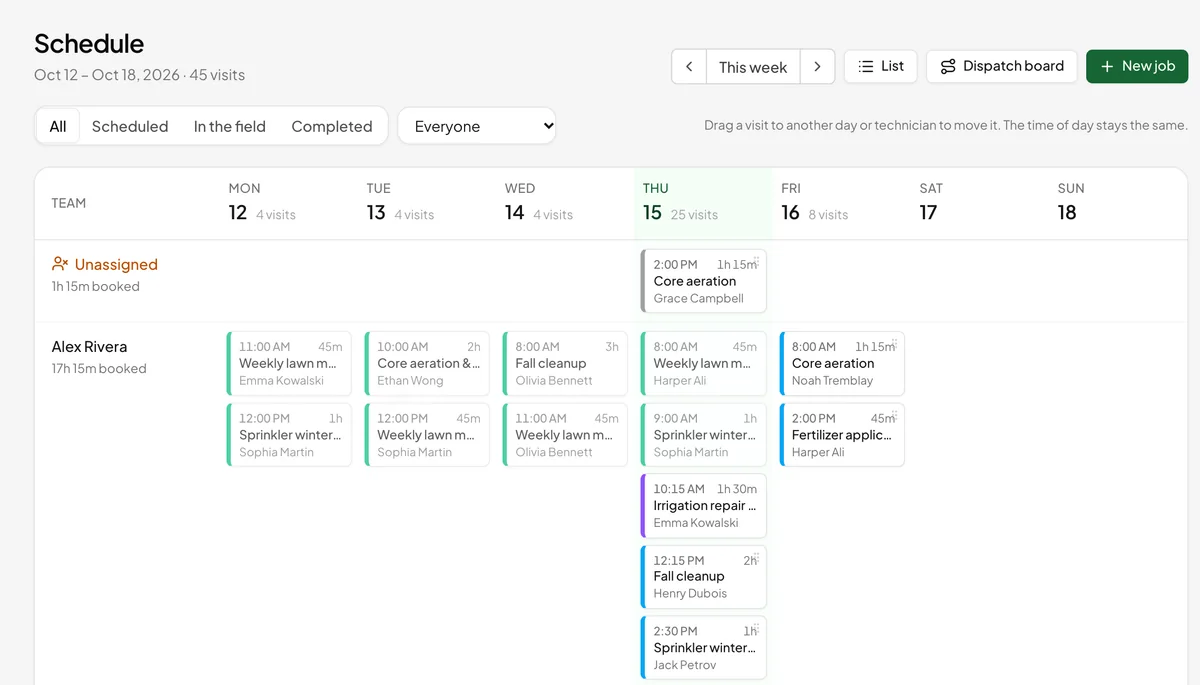
Every technician's week on one board. Drag a visit to another day or technician to move it, filter by person or status, and open the dispatch board to see the whole crew's day on a timeline.
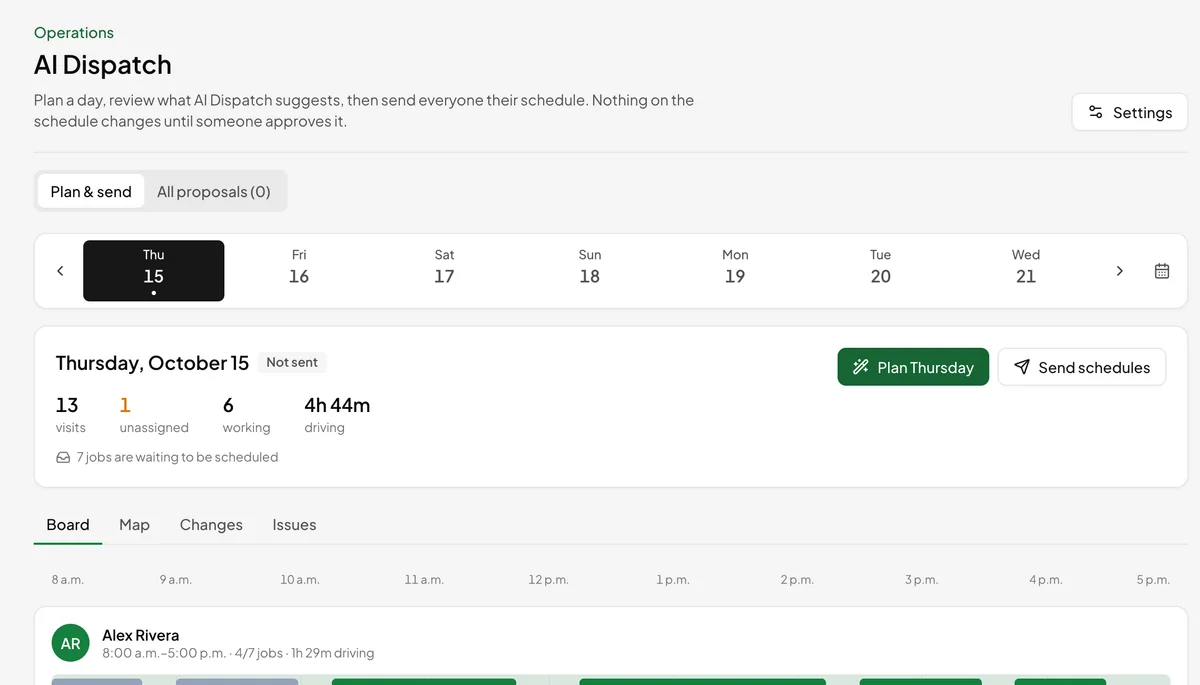
Pick a day and tap Plan. AI Dispatch places the backlog, flags conflicts, shortens routes and lists what it couldn't fit. Approve, then send everyone their day. More about AI Dispatch
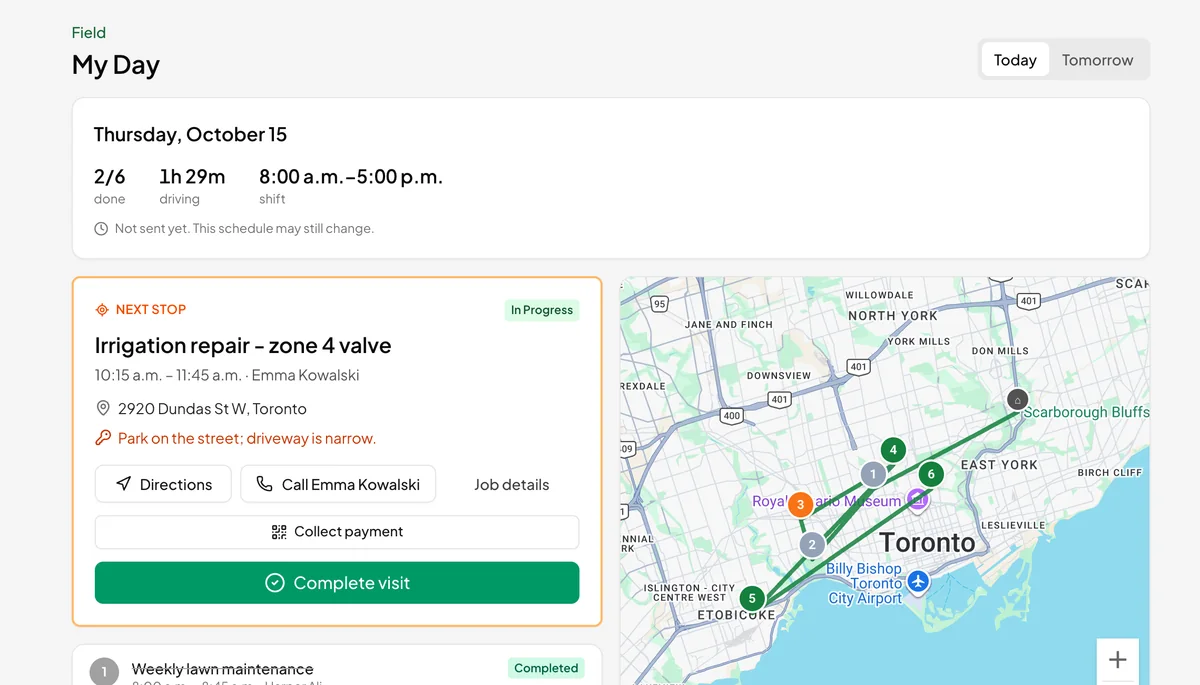
Each technician's route on a map, the next stop with Navigate and Call, and one-tap On my way, Start visit and Complete visit. Works in any phone's browser.
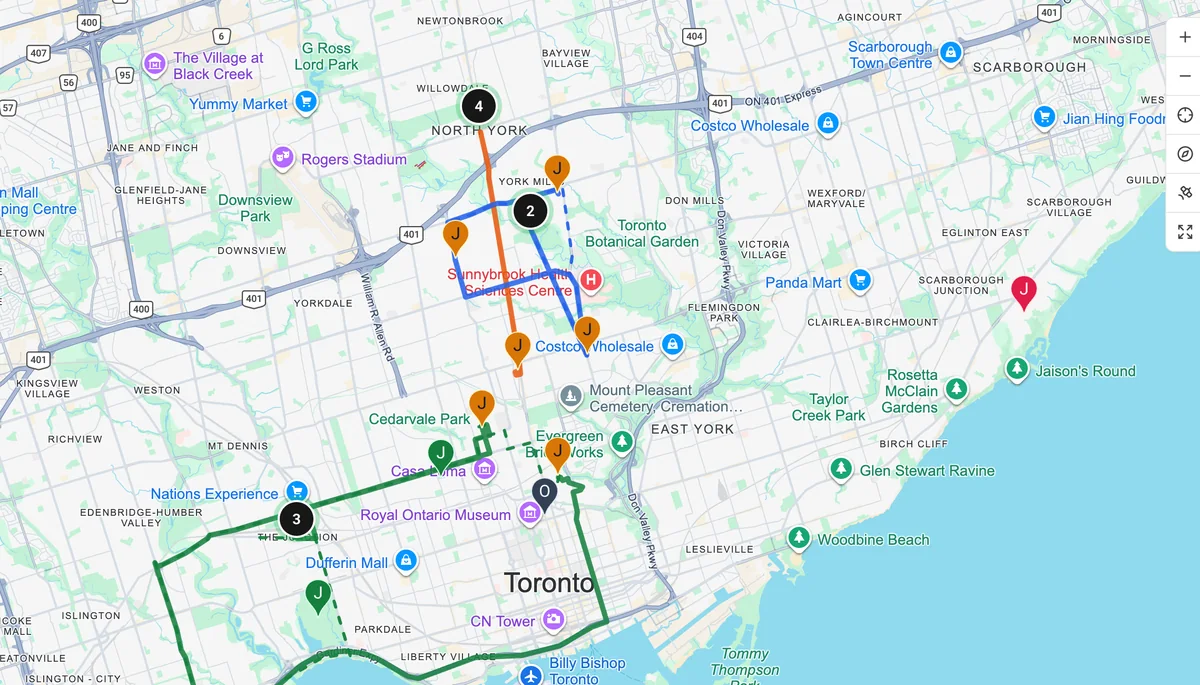
Every job and each technician's last reported position on one map, clustered when busy, with status at a glance. Click a pin to open the visit or reassign it. Location is recorded when a technician taps an action, and while they are checked in with location sharing turned on.
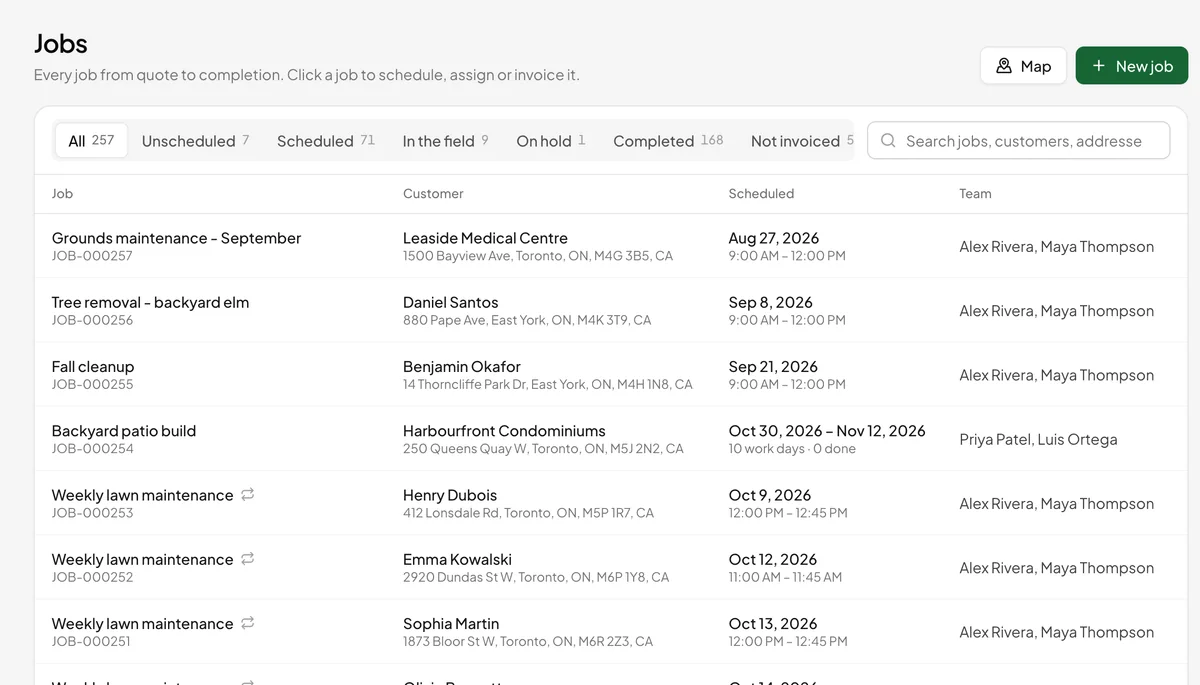
Jobs carry the customer, the site, the visits and crews, labour and materials, notes, photos and videos, and the planning details AI Dispatch uses: priority, time on site and required skills. Recurring jobs rebook themselves, and multi-week projects get a visit on each work day.
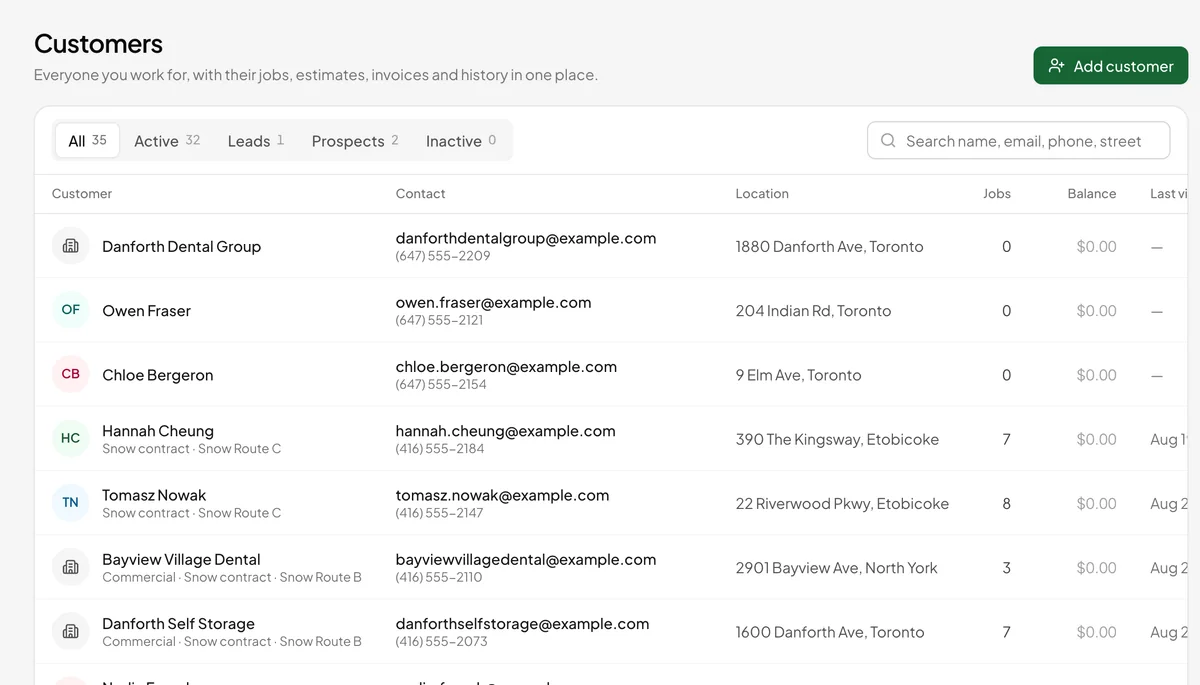
Residential and commercial customers with several service addresses and contacts, the full job, estimate, invoice and payment history, notes, complaints and email preferences.
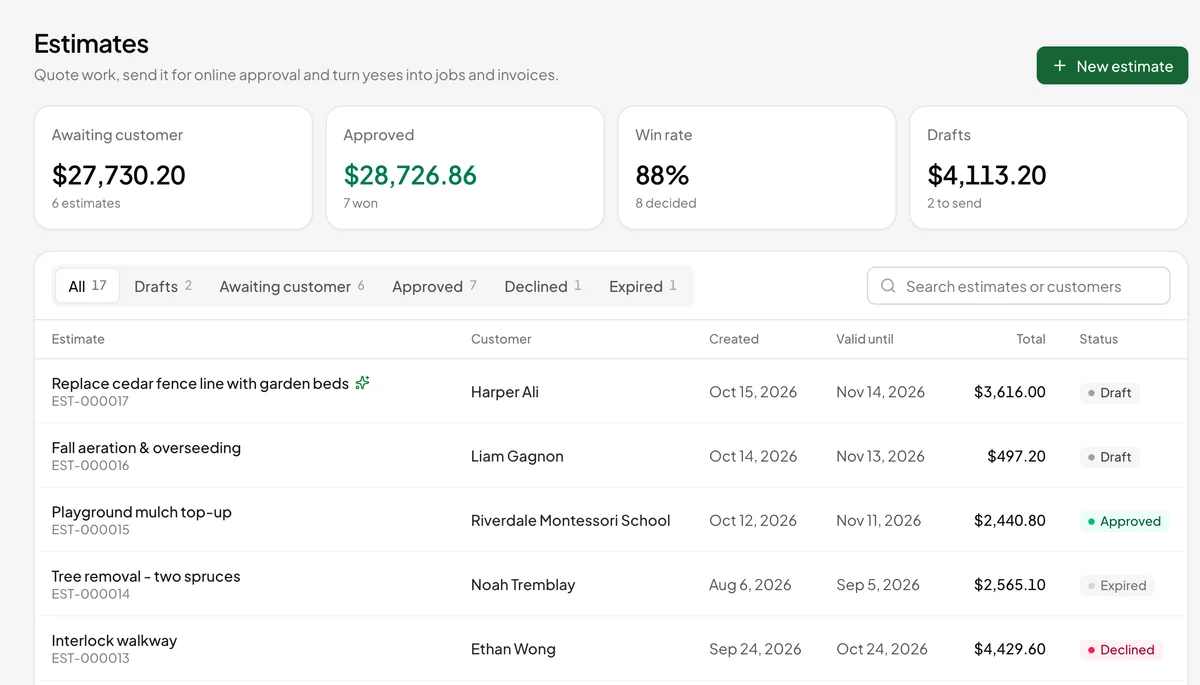
Build estimates from your catalog with your own prices and tax rates. Customers approve from the email link, and an approved estimate becomes the job and the invoice without retyping.
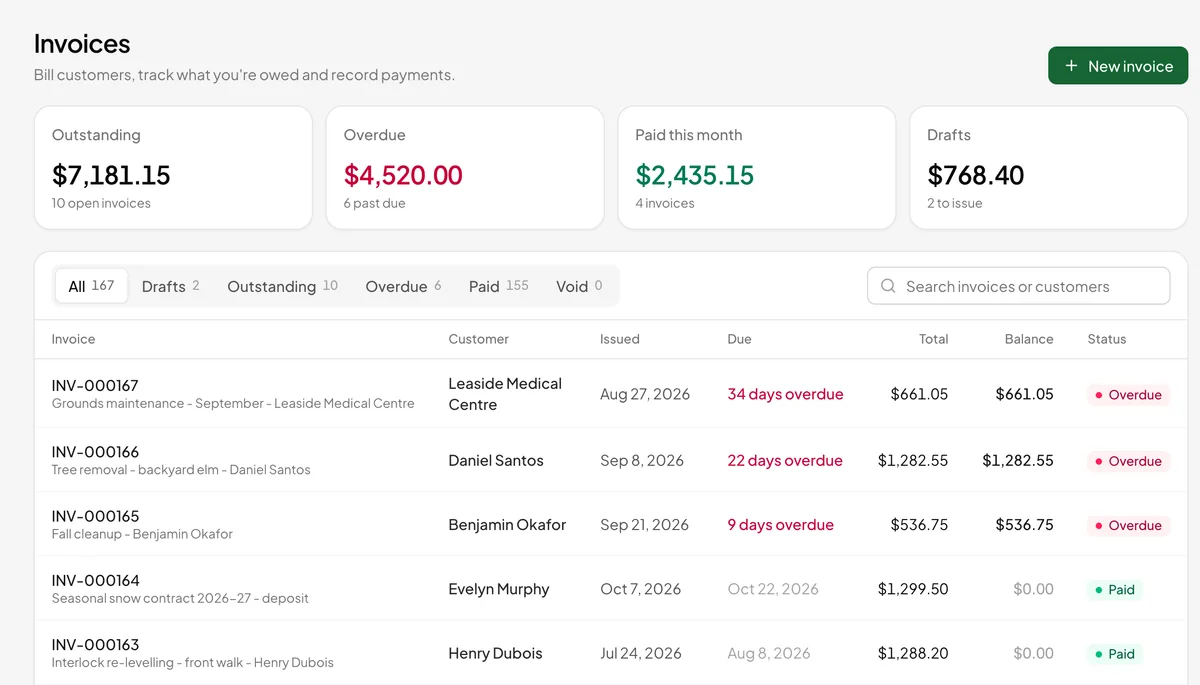
Issue and email invoices, record cheques, cash and e-transfers, and accept card, Apple Pay and Google Pay online or by QR code at the job. Payments go straight to your own Stripe account; EarnFlow never holds funds.
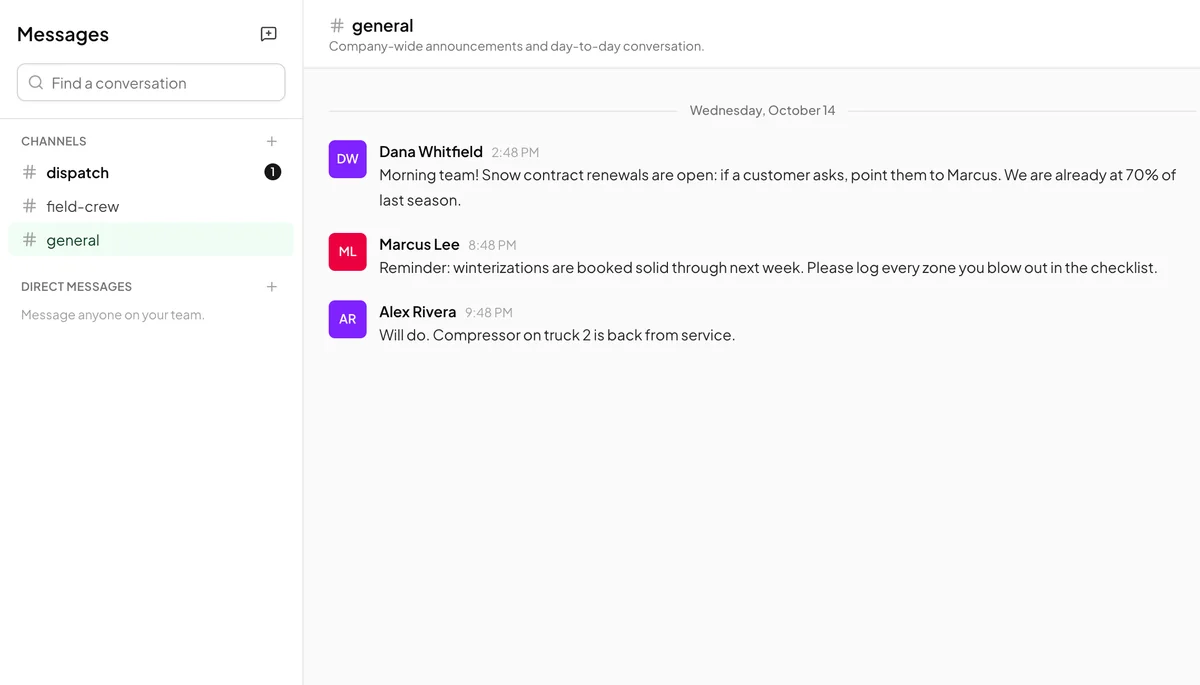
Public and private channels, direct messages and groups, replies, mentions, reactions and unread tracking. Schedules land in chat the moment they are sent.
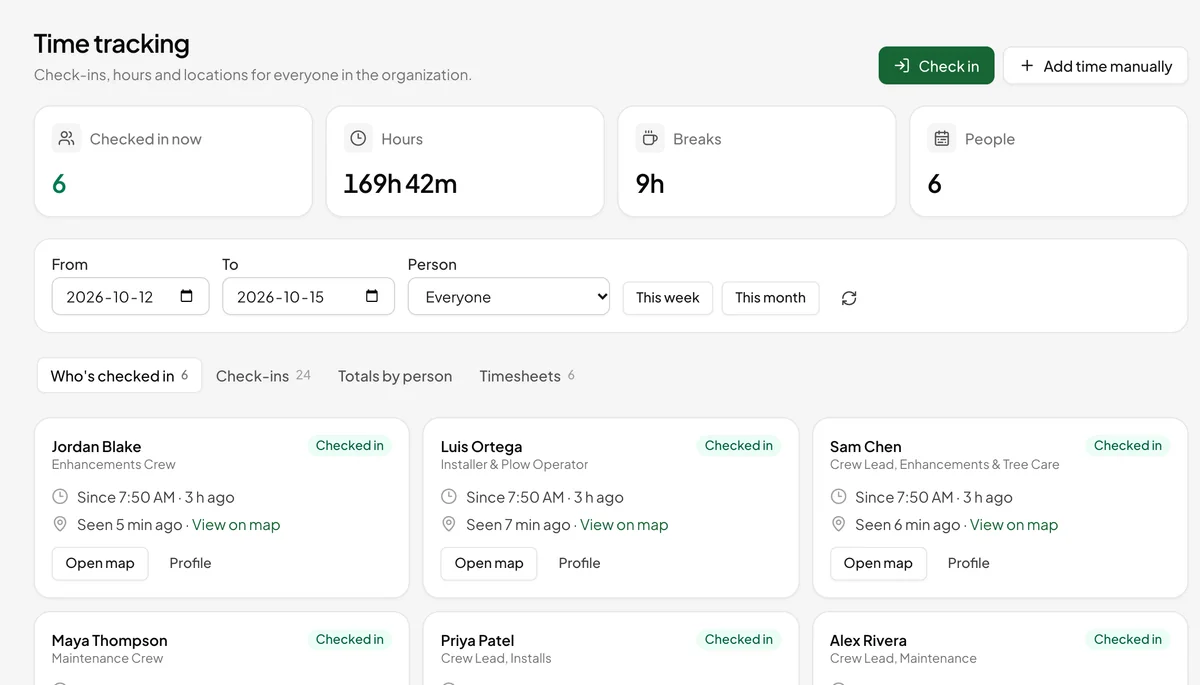
Clock in and out, breaks and time off, with a location captured once per action. Timesheets summarise hours by person and job for payroll.
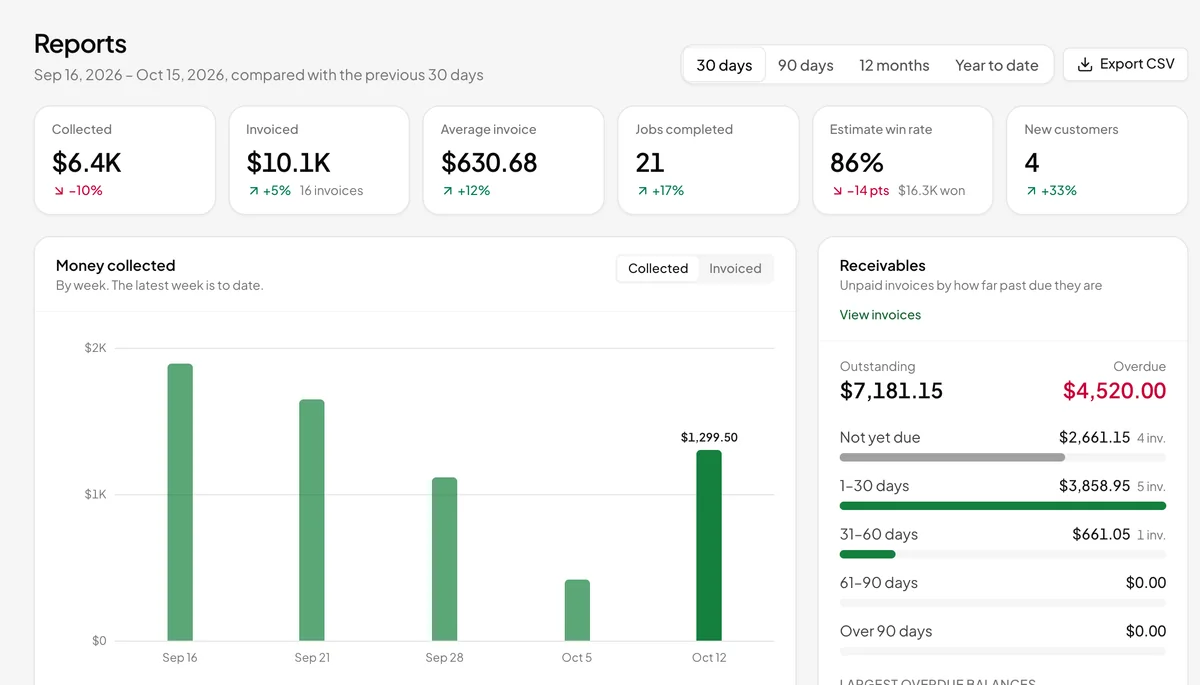
Revenue, collections, receivables ageing, estimate win rates, technician utilisation and what the agents saved you. Export any report to CSV, or schedule it to arrive by email.
Every module
Everything your business runs on.
All of it is in the one plan. The modules marked as coming are built and will be switched on; we'll say so here when they are.
Home
Attention items, money in, money owed and today's visits.
My Day
The technician's route, next stop and one-tap status updates.
Map
Jobs, crews live while checked in, and each crew's route.
Jobs
Draft, scheduled, dispatched, in progress, completed, invoiced. Crews and multi-day projects.
Scheduling
Calendar and dispatch board for visits and technicians.
AI Dispatch
Plan, repair and send the day. Autopilot optional.
Agents
Six rule-based agents and one review inbox.
Messages
Team chat with channels, direct messages, mentions and reactions.
Texts Coming soon
Two-way texting with customers from your own business number.
Online booking
A booking page for your website, and one inbox for the requests.
Customers
Contacts, addresses, history, complaints and email preferences.
Service agreements
Maintenance plans that book their visits, bill on schedule and come up for renewal.
Employees
Roles, skills, working hours, time off and dispatch profiles.
Performance
Goals, feedback, reviews and one-on-ones, with an on-time report.
Time tracking
Clock in, breaks, clock out, timesheets.
Catalog
Services, materials, labour rates and recurring plans.
Estimates
Priced from your catalog, approved online.
Payments
Card, Apple Pay and Google Pay online or by QR code at the job. Cheque, cash and e-transfer recorded.
Invoices
Issue, send, remind, payment plans, status history.
Reports
Business KPIs, CSV export and scheduled reports by email.
Documents
Private, malware-scanned storage with single-use download links.
Notifications
In-app and email for the things that need a person. Push arrives with the mobile apps.
Administration
Members, roles, permissions, API keys and billing.
Audit trail
Every change, tamper-evident, with review and sign-off.
Support access
Approve, scope and time-limit any access by EarnFlow staff.
Settings
Organization details, two-factor, online payments, integrations and agent settings.
How it fits together
From estimate to paid. Typed once.
Plan the day, keep the work moving, get paid for it: each step hands the next one what it needs.
Estimate
Build it from your catalog. The customer approves from their email.
Job
The approved estimate becomes a job with the site, the scope and the dispatch details already filled in.
Schedule
AI Dispatch places it on the right technician's day. The customer gets a booking confirmation and a day-before reminder.
Do the work
My Day guides the technician through On my way, Start visit and Complete visit, with photos and notes attached.
Invoice
The moment a job is complete and nobody has billed it, Revenue recovery drafts the invoice from the approved estimate.
Get paid
The customer pays online. If they don't, Collections drafts the reminders and suggests a payment plan when it makes sense.
Try EarnFlow free for 30 days.
A card on file, not charged until the trial ends. Add your team and your customers, plan tomorrow, and see what the agents catch.